
Works to
- JCT
- NEC3/4
- RIBA
- NRM
- FIDIC
Who it is for
Pick the one that sounds like your week
What sits underneath is the same project record, but what you are trying to get out of it is not.
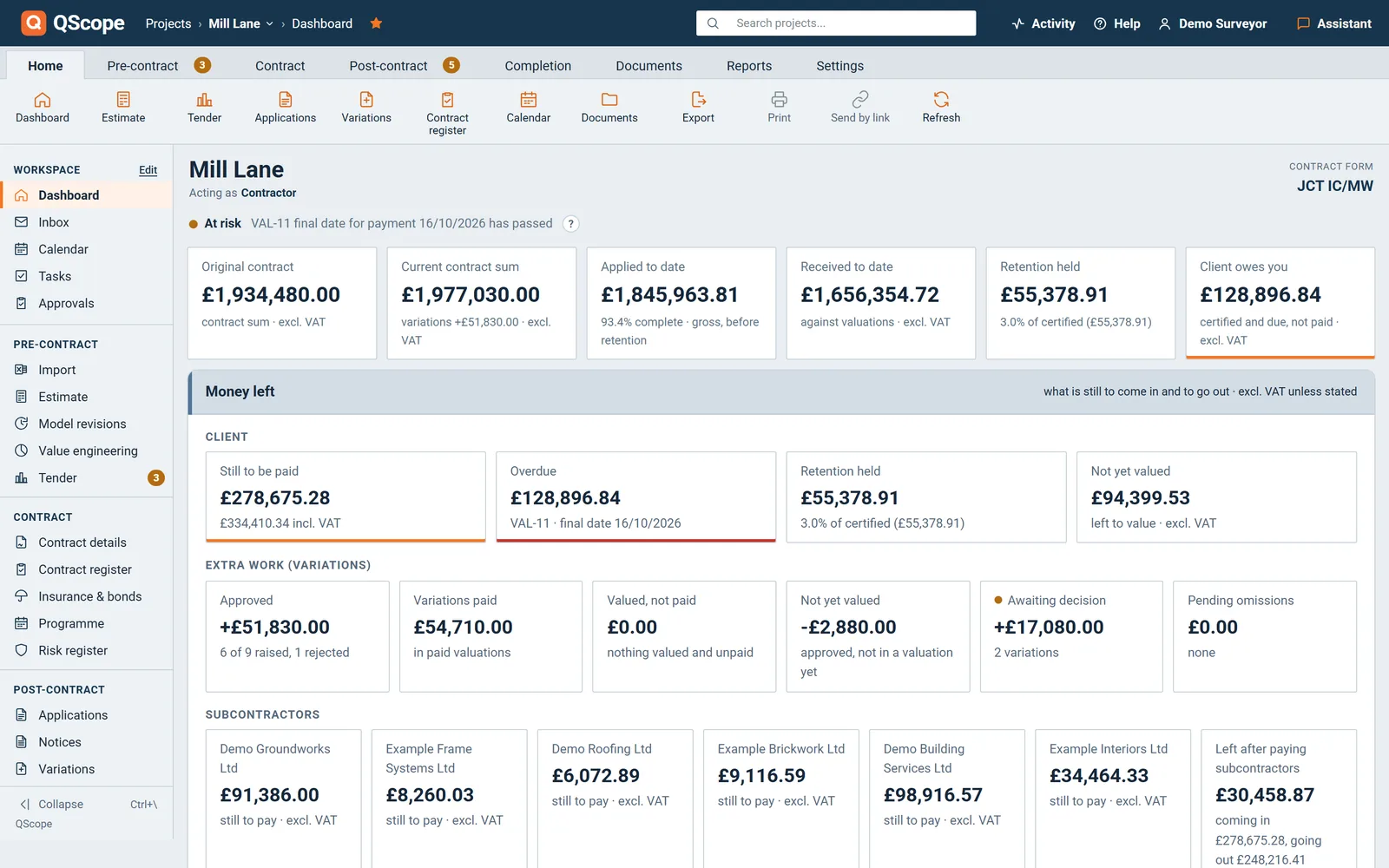
You build it
You build it, and there is no QS on the job
QScope answers both questions from your own contract: which date you are on, and what has to go out to hold it.
See how it works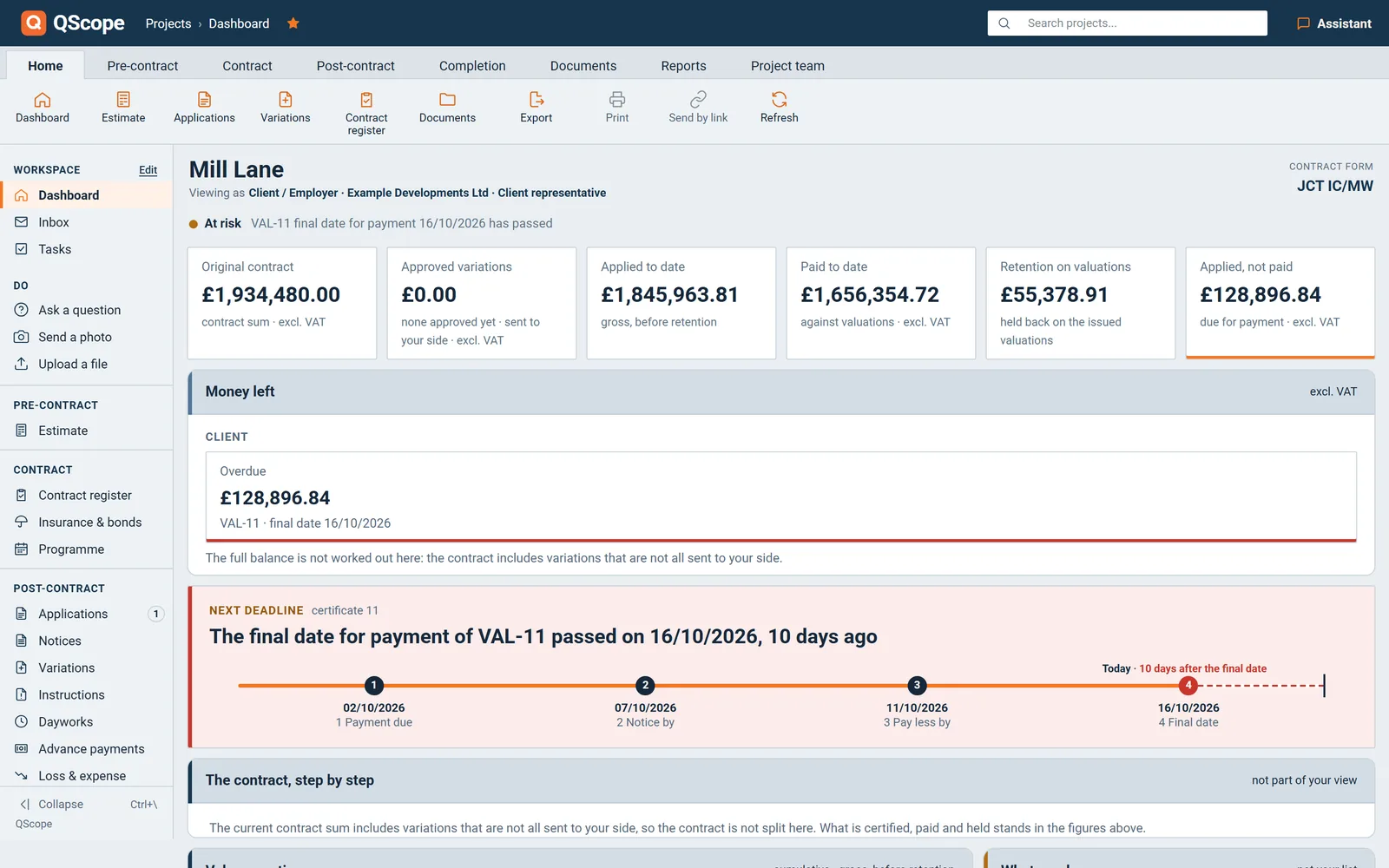
You run it for the client
Check it, certify it, and see the whole position
Whether you are the architect acting as contract administrator, the project manager or the client, you are on the same side of the certificate and you need the same figures.
See how it works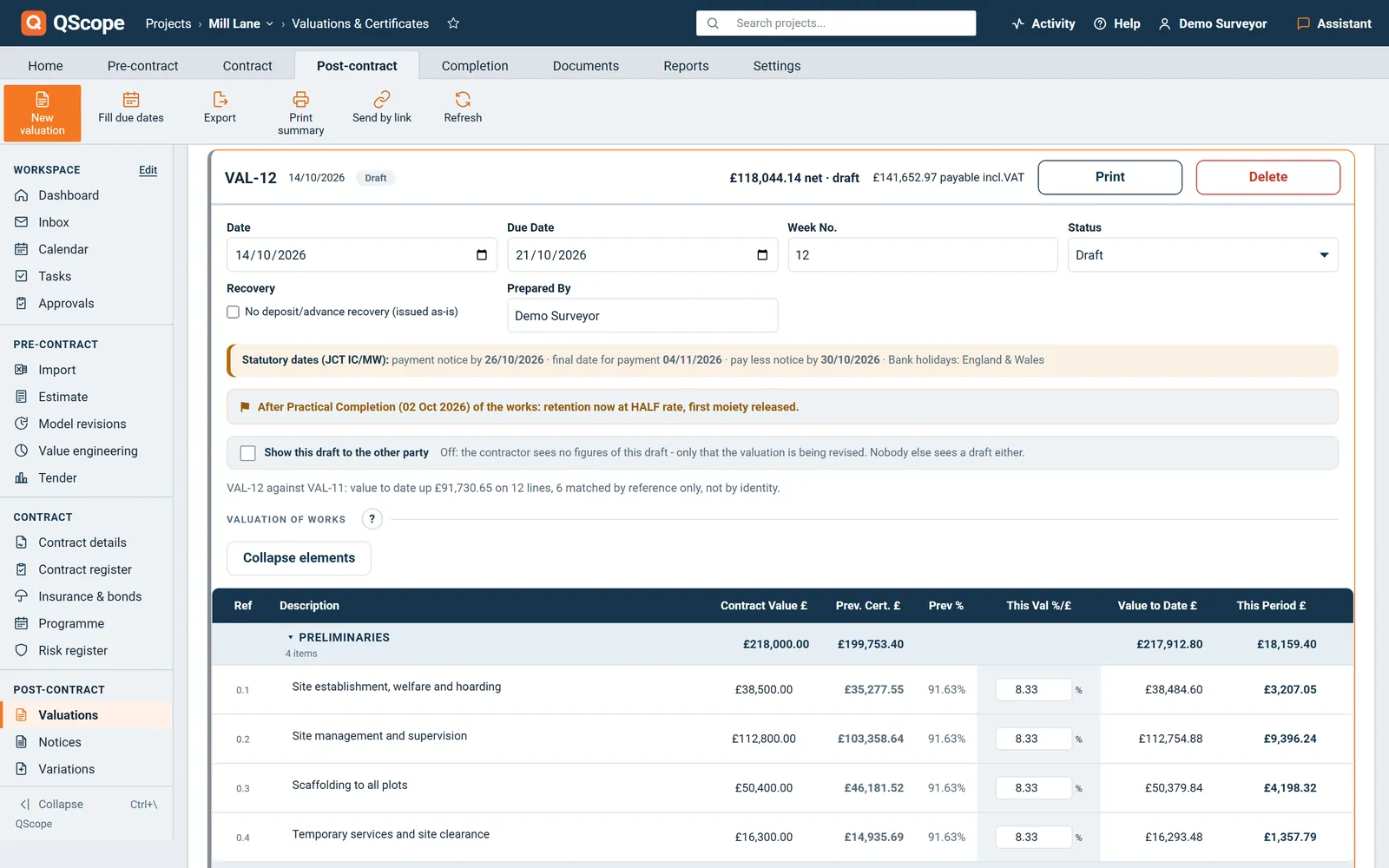
You are the QS
Quantity surveying software built around the QS workflow
Value the job, and the certificate, the retention, the VAT and the payment dates follow from it.
See how it works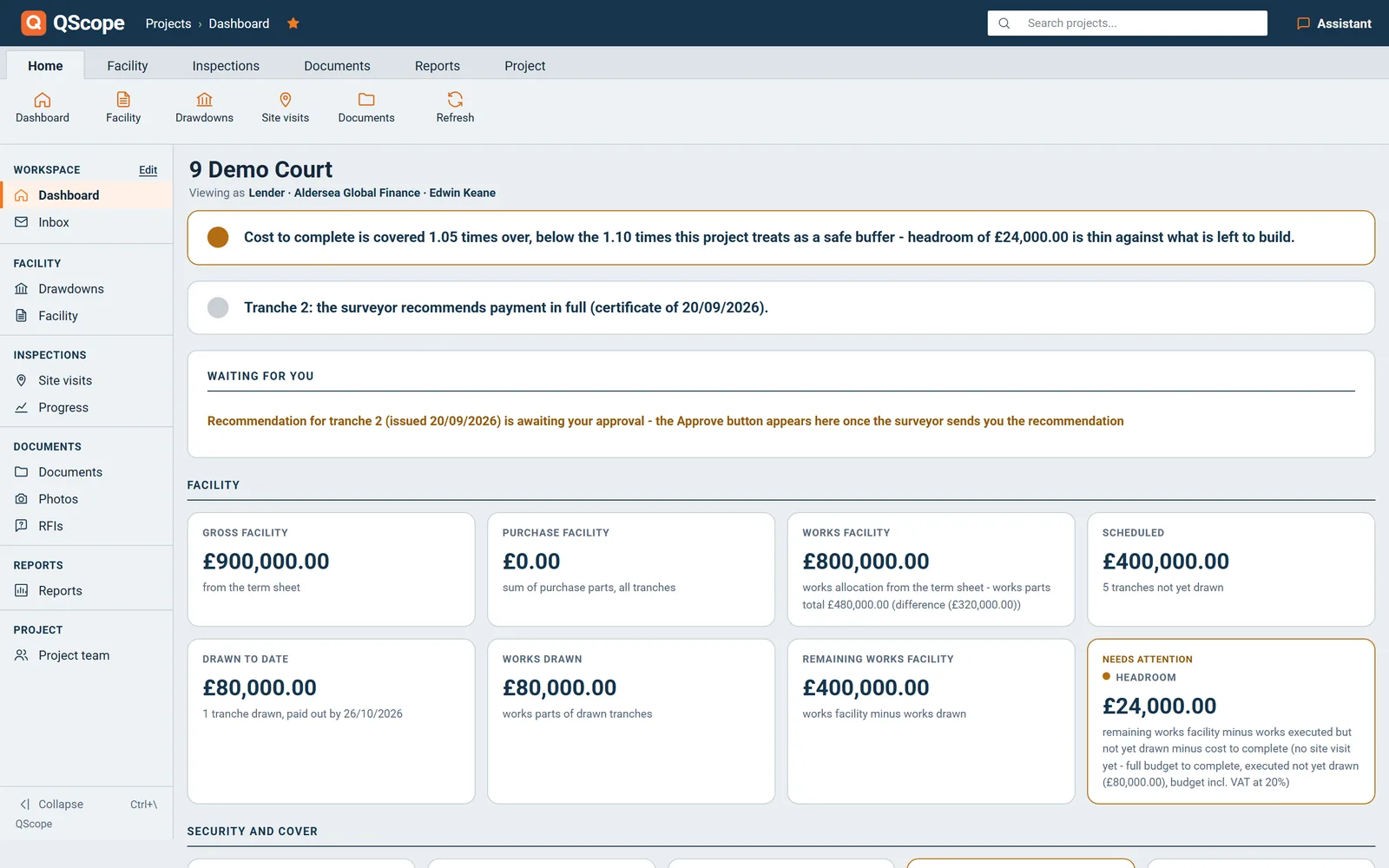
You monitor it for the lender
You stand behind the figure the lender releases on
Somebody has to say how much of the facility should be released this month, and stand behind that figure when the money moves.
See how it worksInteractive demo
Click through QScope on a fictional project
The real program, recorded screen by screen: the dashboard, the estimate, valuations, variations, subcontractors, the programme and the final account. Use the menu on the left as you would in the program. Nothing you click is saved.
What you estimated is what the valuations measure against, what the valuations certified is what the final account adds up.
01 / 08
Dashboard
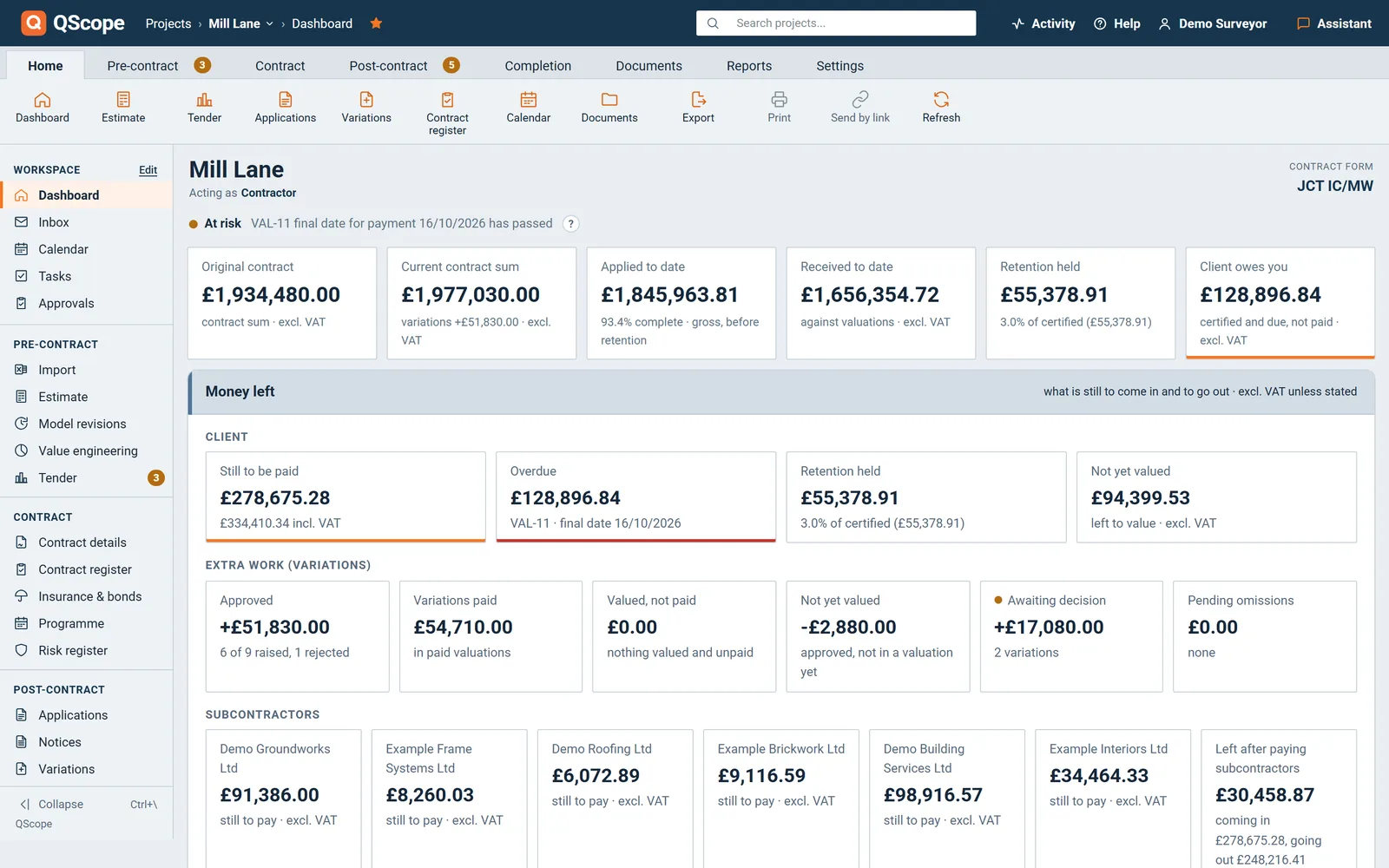
Contract sum, applied, received, retention held and what the client owes you, on one screen for every project you run.
The next statutory date sits under the figures, and what needs you lists anything past its date or due within 14 days.
- Six tiles, from the contract sum to what is owed
- The next deadline, with its four statutory dates
- What needs you: overdue, next 14 days, and later
02 / 08
Cost estimate
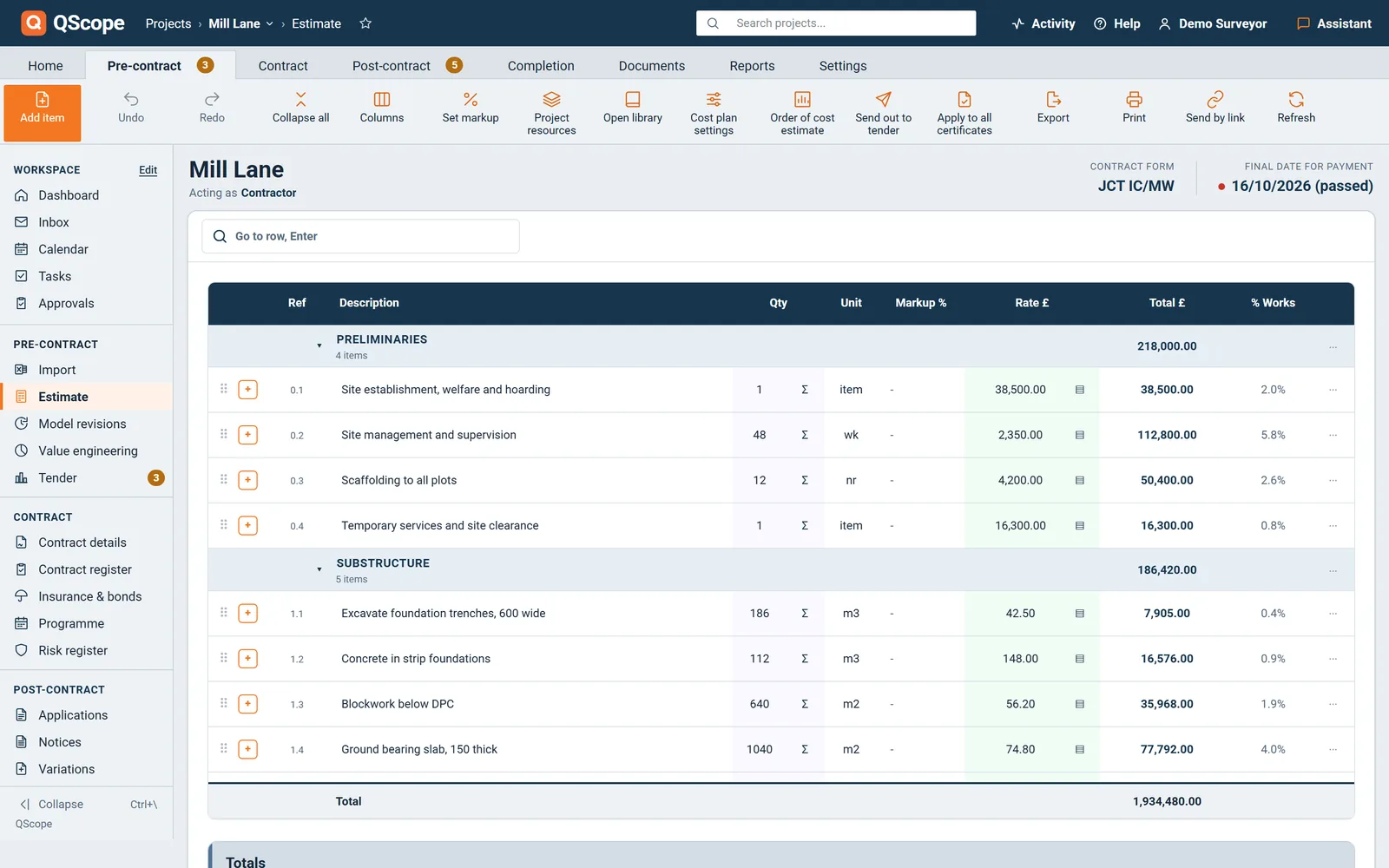
Descriptions and units from the QScope library, on the NRM1 tree. The quantity and the rate are yours, as is the bill.
Or read an Excel or CSV bill into your estimate, checked against its own totals before a single line of it is written.
- 4,876 library items on the NRM1 tree, no pricing
- Quantities measured line by line, minus openings
- A rate built up from labour, materials and plant
03 / 08
Value engineering
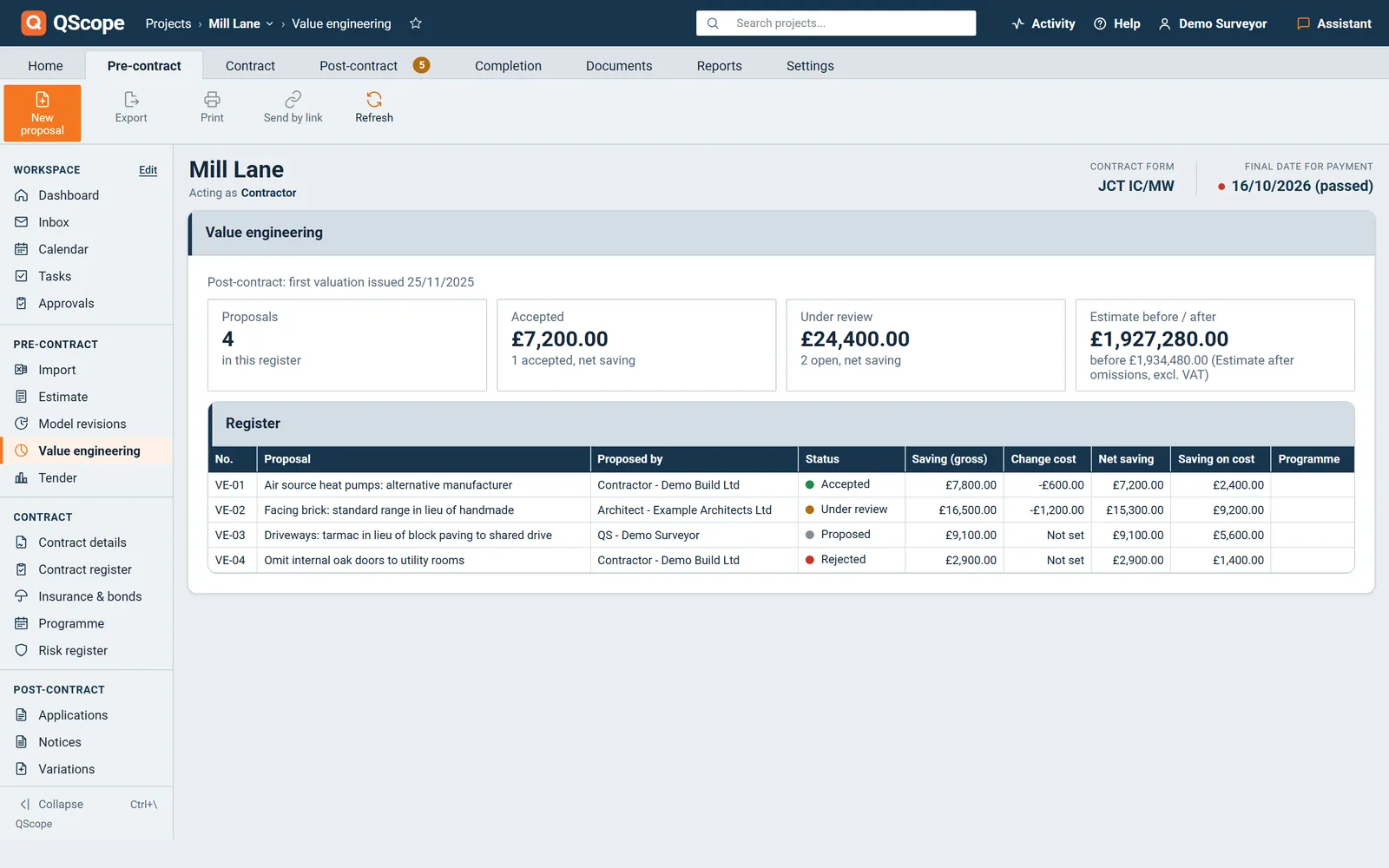
Every cost-saving proposal sits in one register, from the first idea to the client's decision, numbered VE-01 onwards.
Before the contract an accepted proposal changes the estimate. After that, it turns into a variation linked both ways.
- Gross saving, cost of the change and net savings
- Accept, reject or withdraw, with the reason kept
- An accepted proposal becomes a pending variation
04 / 08
Tender comparison
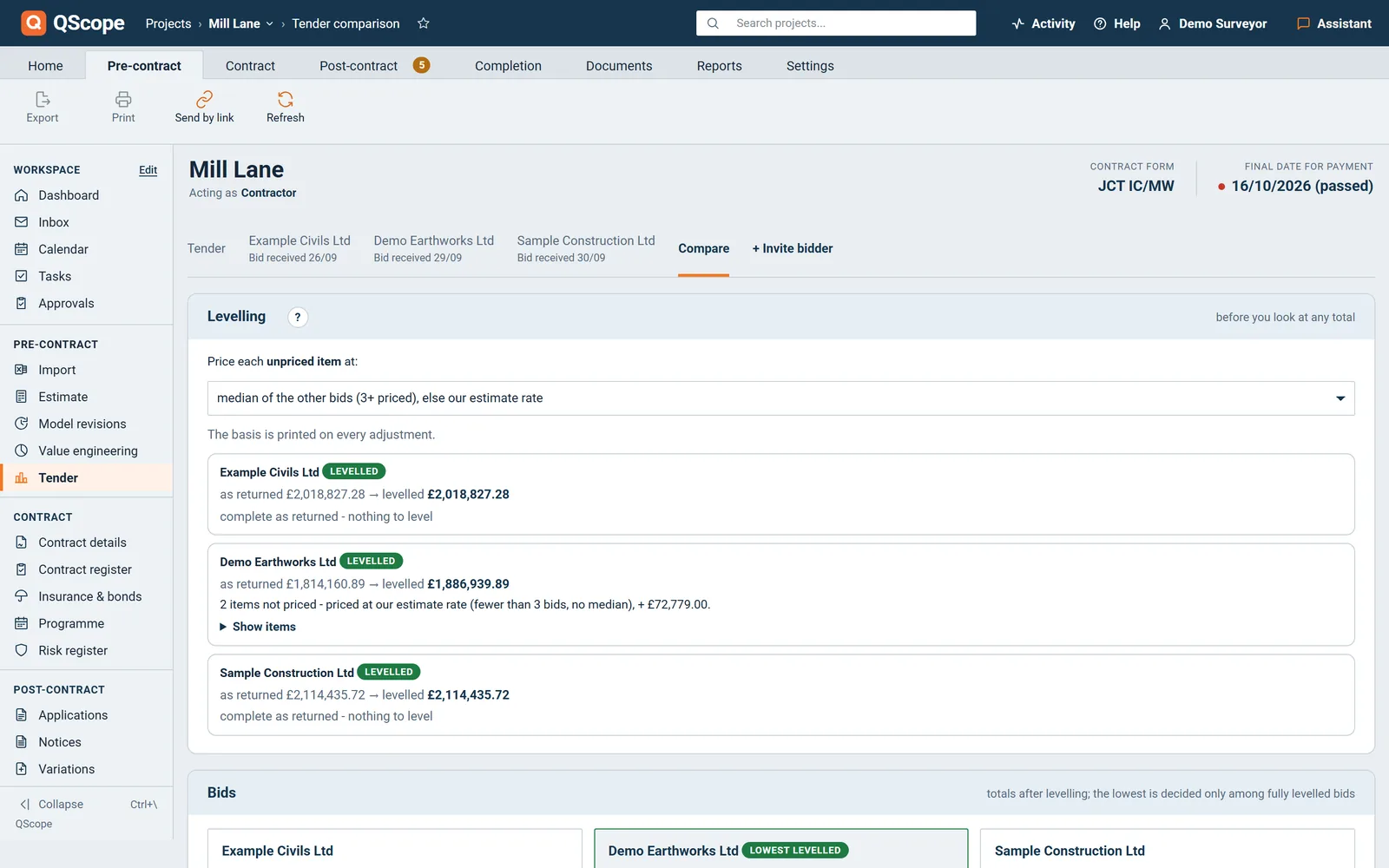
Your document and up to eight returned bids, matched by item reference, not by row order, then levelled as you choose.
Each bidder prices your scope on a personal link, and gaps are priced on the basis you pick, before any total is read.
- Up to eight bids, matched line by item reference
- Gaps priced at the median, highest or your rates
- Bidders price your scope online on private links
05 / 08
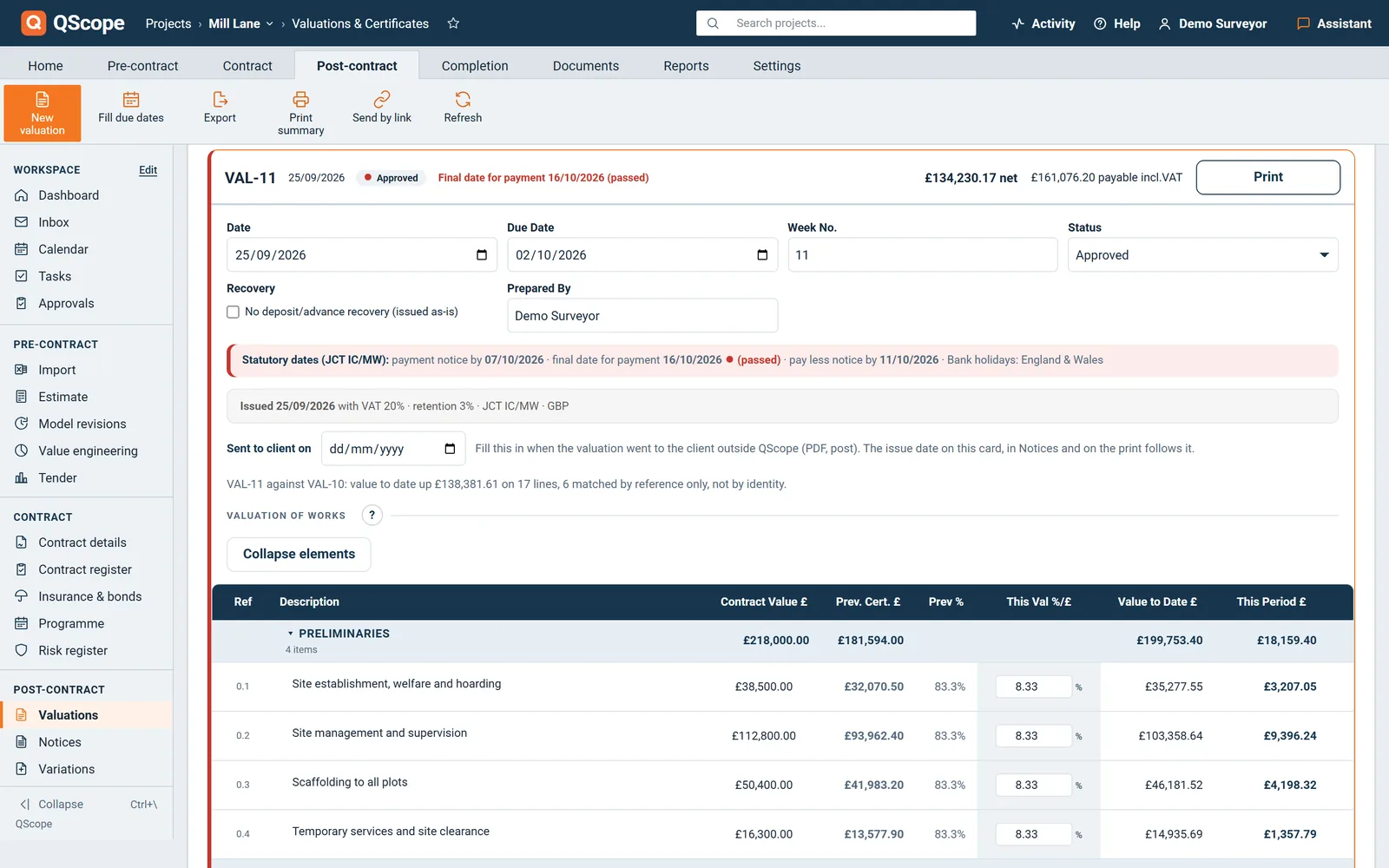
Interim valuations
Value line by line, by percentage or by a fixed sum. Retention calculates as you type and no line passes 100 per cent.
The bill you priced is the bill you value against each month, and the statutory dates are printed on the certificates.
- Value every line by percentage or by a fixed sum
- Retention, previously certified and VAT computed
- Statutory dates printed right on the certificate
06 / 08
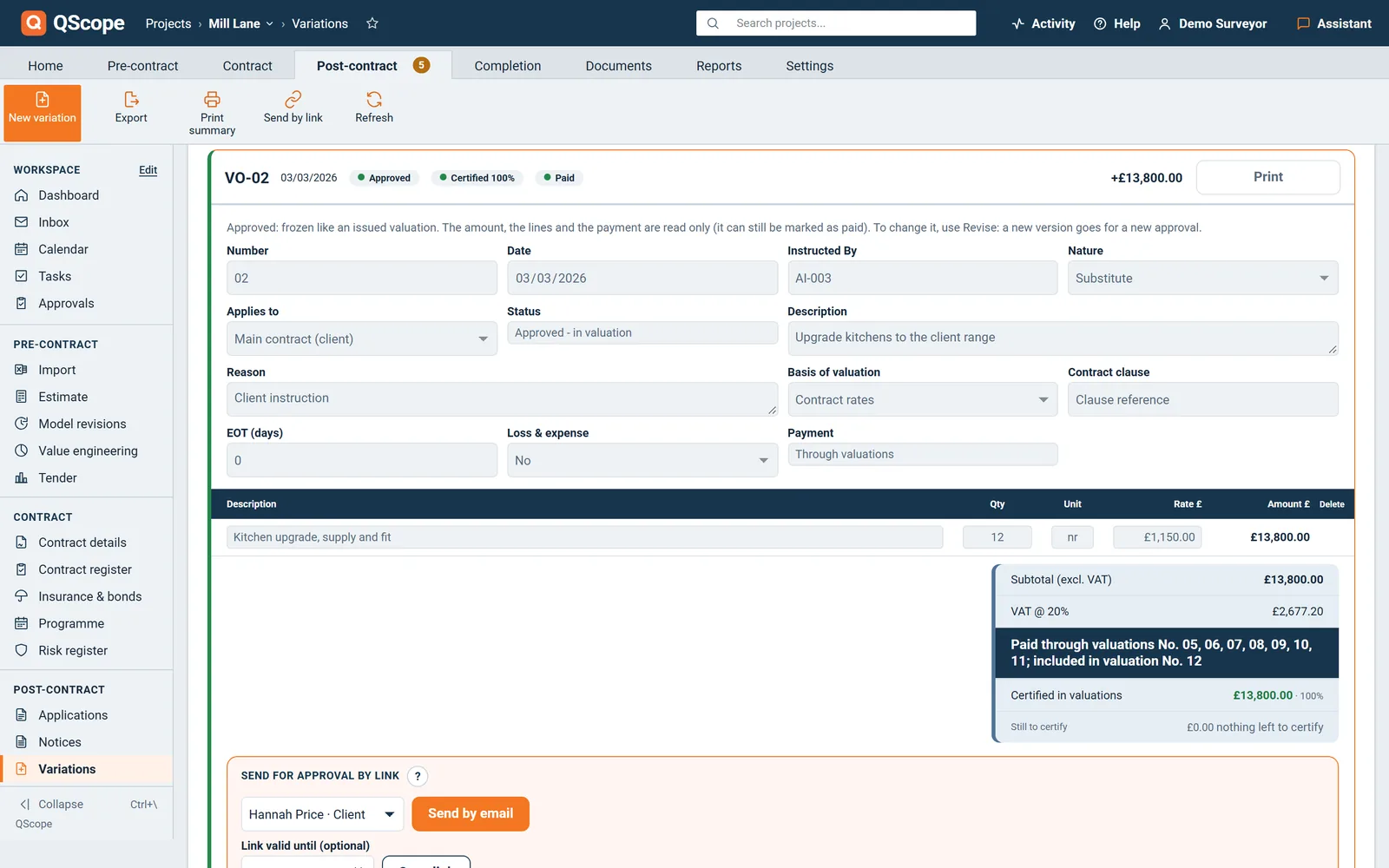
Variations
Instruction, valuation rule, extension of time and loss and expense on one record, pulled straight into a certificate.
An instruction that changes cost and has no variation against it is flagged, so it cannot slip past the final account.
- Instruction, reason and the valuation basis kept
- Approved variations become lines on certificates
- The client signs off a variation on its own link
07 / 08
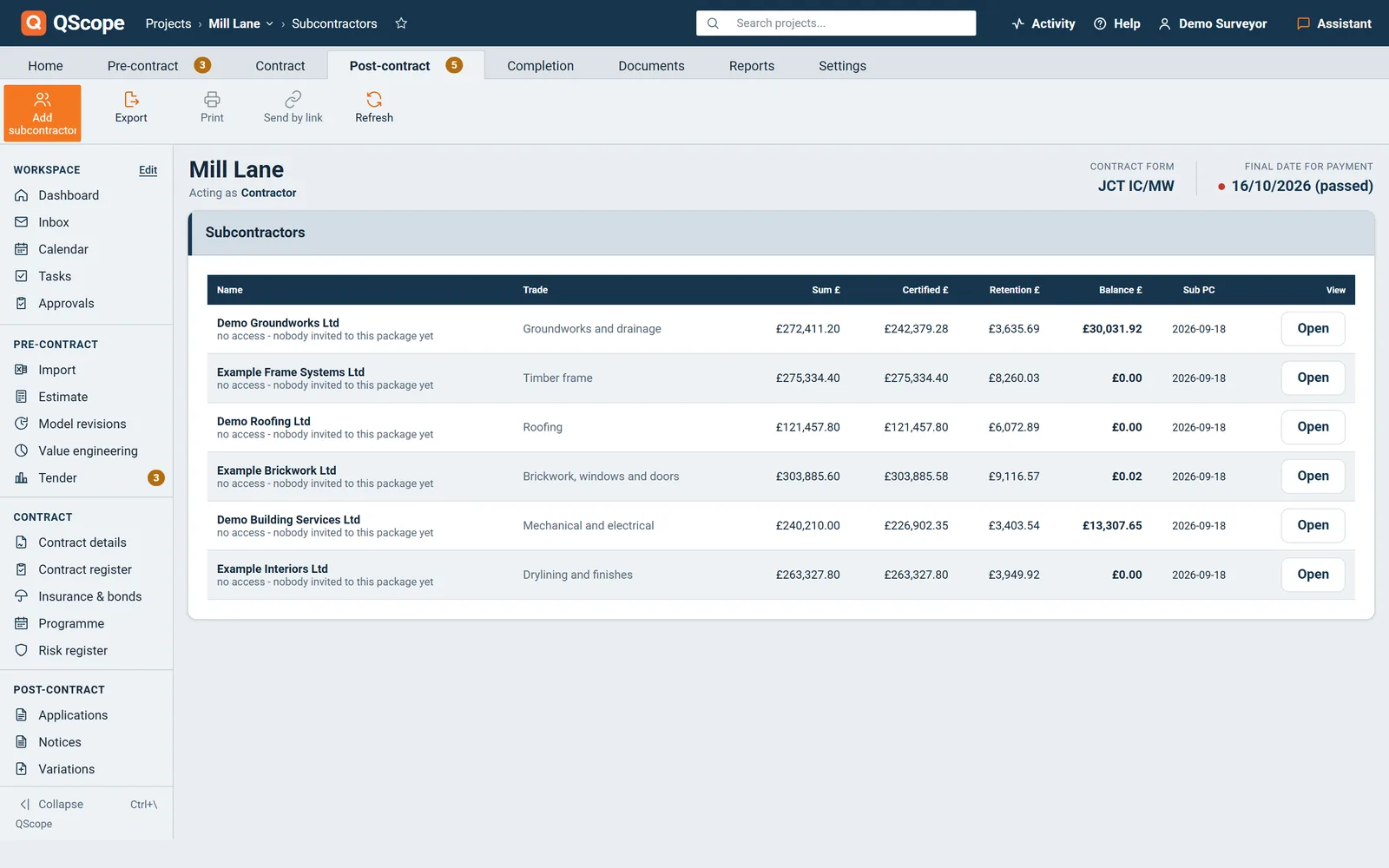
Subcontractors
Every package has its own sum, retention, payment periods and tax, and is valued on the same lines you priced it with.
Subcontractor certificates stay apart from the client account, and the client never sees your packages or your margin.
- Own retention, payment periods and tax per trade
- Certificates and payments for each subcontractor
- A guest link shows a subcontractor only its work
08 / 08
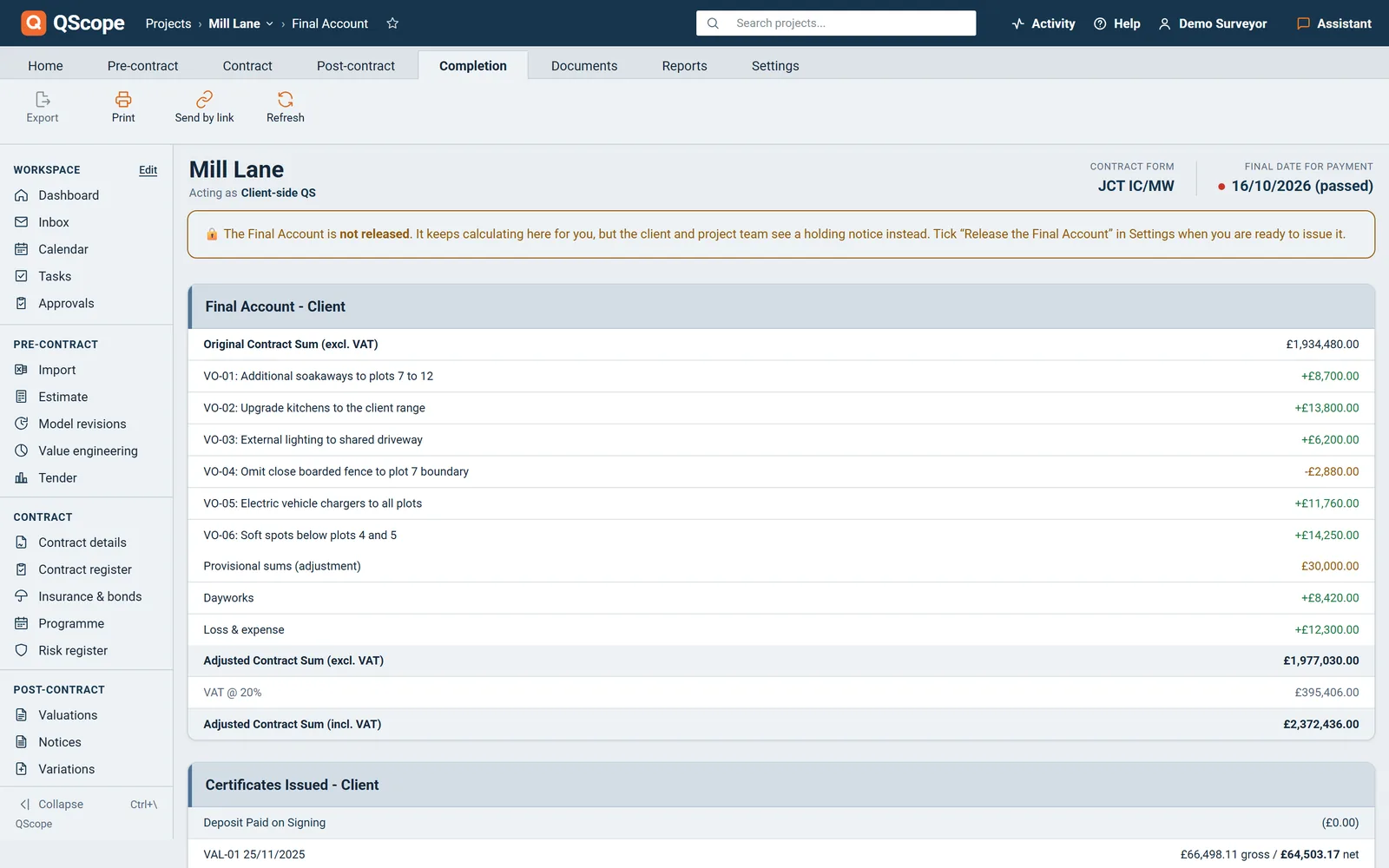
Final account and reports
Every adjustment from the contract sum to the final balance due, and the anticipated cost against the approved budget.
Nothing gets retyped between screens, so the final account is the same arithmetic the valuations were doing all along.
- Every adjustment to the contract sum on one line
- Loss and expense, and agreed dayworks carried in
- The Final Account Agreement, ready for signature
Payment dates
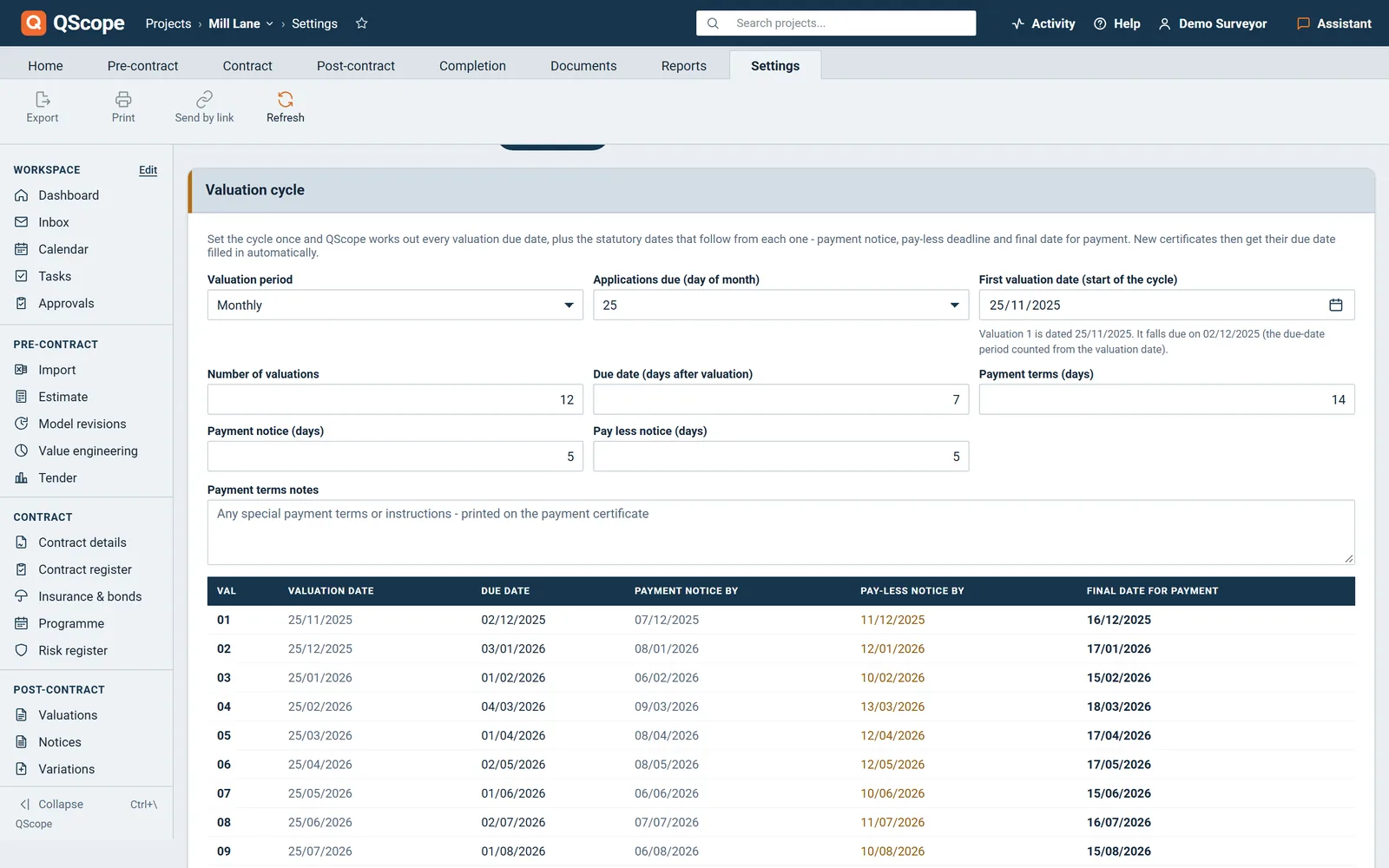
Four dates, counted from your contract, not from ours
You confirm the payment periods once, from your own contract. Everything is counted from them and printed on the certificate and on the notice.
Payment notice
The five-day period for a payment notice is the limit set by s.110A(1) of the Housing Grants, Construction and Regeneration Act 1996.
If neither a payment notice nor a pay-less notice is served by the deadline, the sum applied for becomes the notified sum and falls due in full.
VAL-02Meridian House, worked example
Applied £68,400.00 · certified £55,435.90
Pay less notice
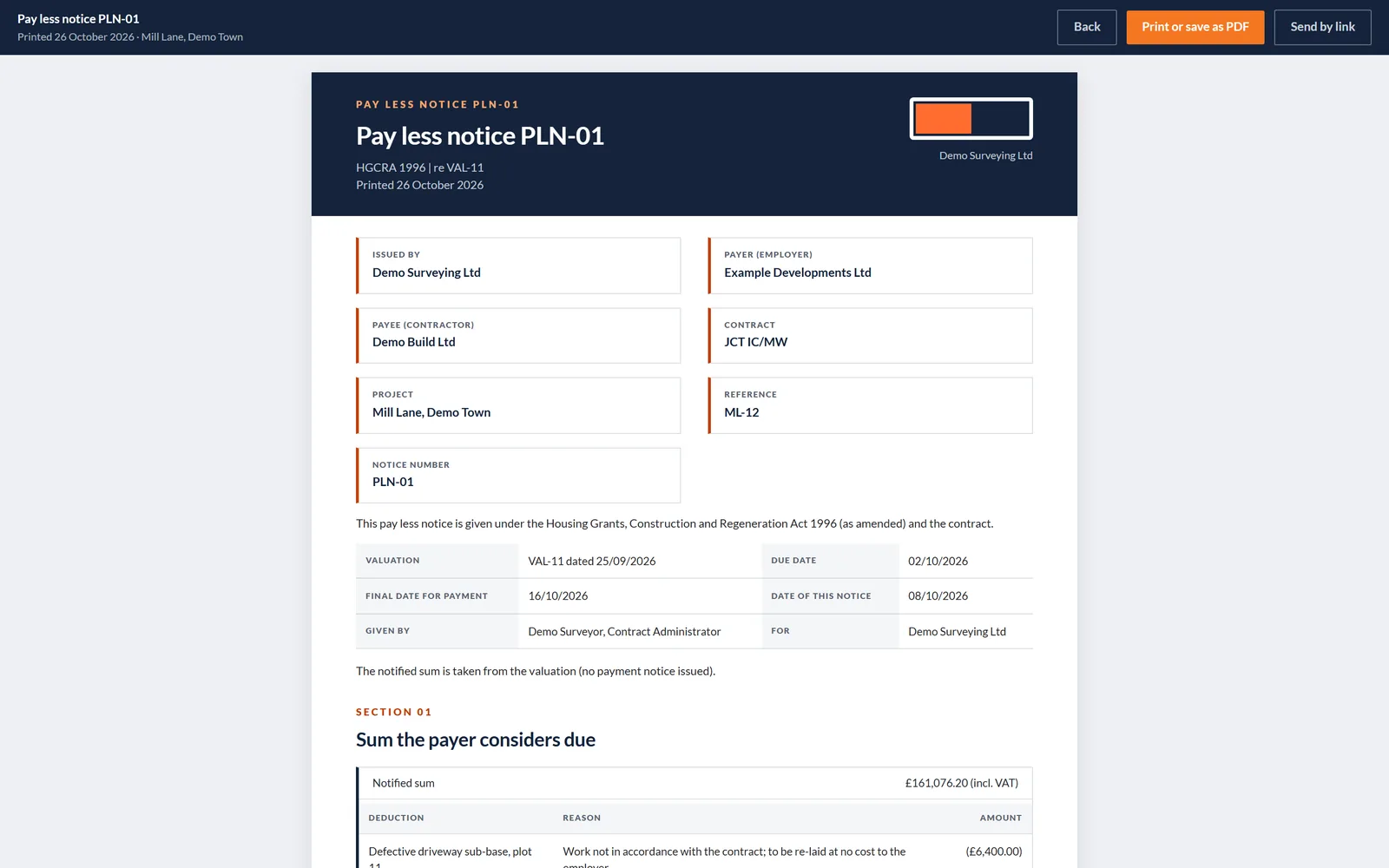
The fourteen days to the final date and the five days for a pay-less notice on this job come from the contract, not from statute, which is why QScope asks you to confirm them rather than assume them.
Miss the payment notice on 7 September and the pay-less notice on 11 September, and you pay £68,400 instead of the £55,436 you certified: £12,964 you never agreed to, on one job, for one missed date.
VAL-02Meridian House, worked example
Applied £68,400.00 · certified £55,435.90
Retention release
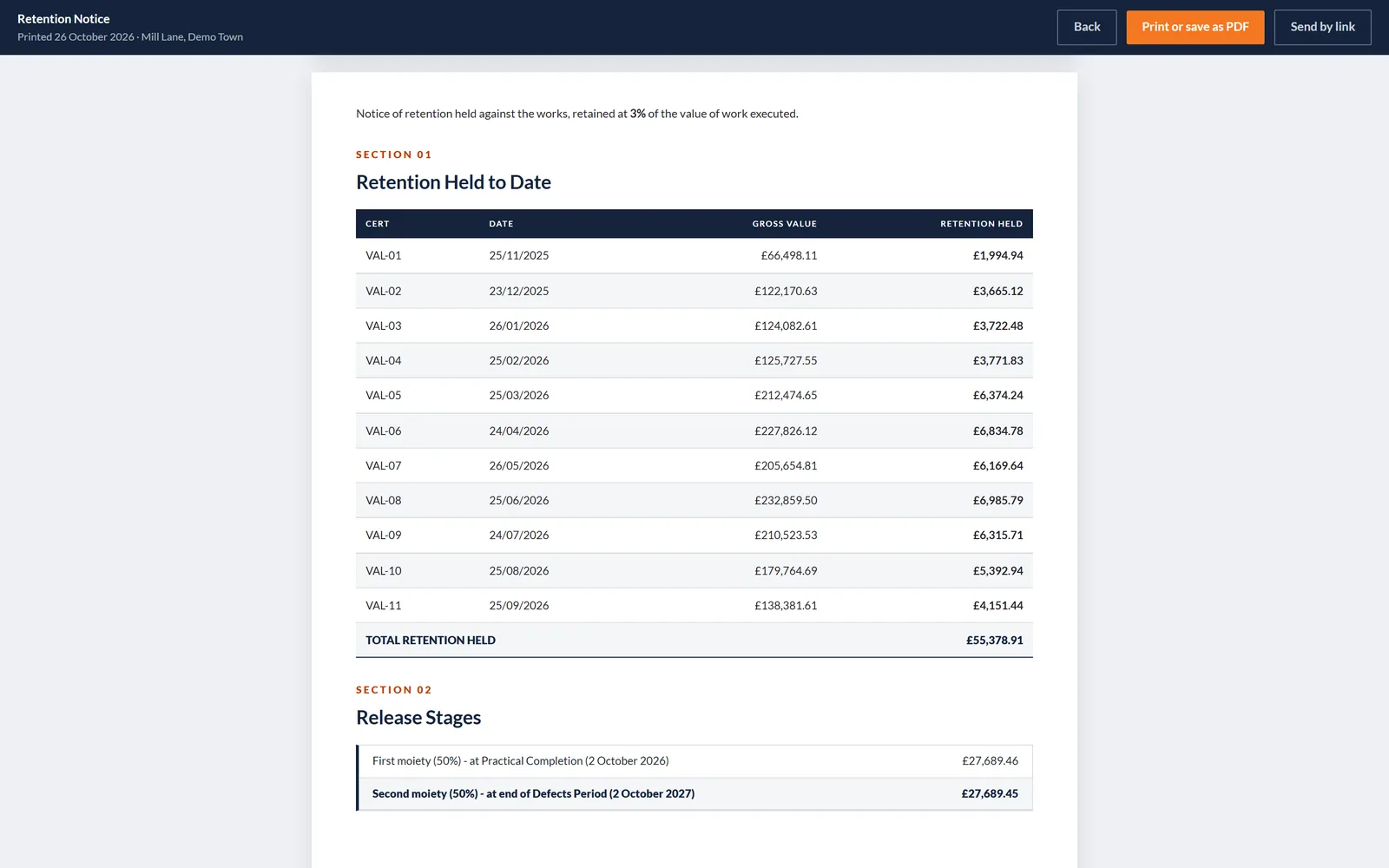
Half comes back at practical completion and half at the end of the defects period, twelve months on. Neither half comes back on its own, and nobody is counting the days.
The rate drops to half automatically once practical completion is certified, the release date is counted from it, and the notice you send shows the same figure as your dashboard.
VAL-02Meridian House, worked example
Applied £68,400.00 · certified £55,435.90
Built for the commercial side of the job
Every tool here follows the money, from the first estimate to the final account. Most construction software was built for drawings and snagging, then had a money tab added later. QScope starts where the money starts: the bill, the valuation and the certificate.
Work that disappears, and paperwork that arrives
On the left, what a commercial team does by hand most months and stops doing. On the right, what one job set up this afternoon can already put in an envelope. Same change, seen from both ends.
Six things you stop doing
Six things you can already send
One project, from the first estimate to the final account
QScope is quantity surveying and commercial management software for UK construction. The same record carries the job from the day you price it to the day the account is agreed. What you estimated is what the valuations measure against, what the valuations certified is what the final account adds up.
Nothing is retyped between one stage and the next, so a figure you entered in the first week is still the figure being argued from in the last one.
Ten stages, one record
Case studies
Real firms, in their own words
Every number on these pages is the client’s own, quoted, never ours.
Read the case studies-
 Main contractor · London
JB Building London
Every number lived in three places. Now it lives in one.
Read story
A few hoursa valuation, before20 mina valuation, now
Main contractor · London
JB Building London
Every number lived in three places. Now it lives in one.
Read story
A few hoursa valuation, before20 mina valuation, now
-
 Groundworks, steel and brickwork · London
Tora Build
The quantities keep moving. The valuation keeps up.
Read story
A few hoursa valuation, before20 to 30 mina valuation, now
Groundworks, steel and brickwork · London
Tora Build
The quantities keep moving. The valuation keeps up.
Read story
A few hoursa valuation, before20 to 30 mina valuation, now
-
 Extensions and renovations · London
MD & Audrey Properties
From a few hours to twenty minutes a valuation
Read story
A few hoursa valuation, before20 mina valuation, now
Extensions and renovations · London
MD & Audrey Properties
From a few hours to twenty minutes a valuation
Read story
A few hoursa valuation, before20 mina valuation, now
Rather ask first? Write to help@qscope.co.uk and you will get a reply within one working day, Monday to Friday.
One price for the whole of it
On your own
£199/month
- 2 users · 10 active projects
- Unlimited client and subcontractor guests
- Payment dates from your own contract terms, confirmed once
- Certificates, valuations and reports laid out by a practising QS
- Retention handled automatically: half rate at PC, nil after release
- Variations, advance payments and the final account
- Commercial risk register with a calculated allowance
- Audit trail: who changed what and when, exportable
- Your firm logo on every document
- Add users beyond your plan: £40 a month or £360 a year each
Most popular
Small team
£449/month
- 8 users · 40 active projects
- Unlimited client and subcontractor guests
- Payment dates from your own contract terms, confirmed once
- Certificates, valuations and reports laid out by a practising QS
- Retention handled automatically: half rate at PC, nil after release
- Variations, advance payments and the final account
- Commercial risk register with a calculated allowance
- Audit trail: who changed what and when, exportable
- Your firm logo on every document
- Everyone with their own login and their own audit record
Whole business
£849/month
- Unlimited users · unlimited projects
- Unlimited client and subcontractor guests
- Payment dates from your own contract terms, confirmed once
- Certificates, valuations and reports laid out by a practising QS
- Retention handled automatically: half rate at PC, nil after release
- Variations, advance payments and the final account
- Commercial risk register with a calculated allowance
- Audit trail: who changed what and when, exportable
- Your firm logo on every document
- Guided onboarding, data setup and a named contact
Every screen above is on every plan. There is no tier that takes retention away, and no tier that charges you again for the certificate at the end of a job you already paid for. What changes between plans is how many projects you run at once.
- Prices in GBP
- Tax added at checkout
- Client guests free on every plan
- Archived projects outside the limit
- Thirty days free, no card
FAQs
The questions people ask most often
Answered without a sales pitch at the end. If yours is not here, write to us and you will get a reply within one working day, Monday to Friday.
Write to help@qscope.co.ukNo. Documents carry your practice name and your logo. QScope does not appear on anything you send a client.
Yes. Set the contract form to FIDIC and the certificate becomes an Interim Payment Certificate valued from the Contractor’s Statement, with the 28 and 56 day sequence counted in calendar days on the 1999 Red Book defaults. The dates are published starting points to verify against your Particular Conditions and jurisdiction.
Yes. If your bill is in an awkward format, send it to support and we will tell you the quickest route rather than leaving you to fight it. Either way the sections and subtotals you priced are preserved.
No. The cost side is entered by hand and stays that way. The program has no access to your accounts, and pretending it did would be the worst possible choice in a report about margin.
QScope detects it and warns the second person rather than letting one silently overwrite the other. Losing an afternoon of valuation because a colleague had the job open is not an acceptable failure mode.
Yes, to CSV, per project. It opens in Excel with a byte order mark so names with accents are not mangled, which matters when the file goes into a bundle.
From the blog
The part nobody teaches you, written down
174 pieces on the commercial side of a contract. No sign-up, and no piece that ends in a sales pitch.
All 174 pieces


Six things you can already send
Put one live project in and see what comes out
Not a sample and not a tour. Your own job, your own contract dates, and the certificate that comes out of the other end.

Real QScope printouts on a fictional project.